Serwer terminali Winflector - alternatywa dla aplikacji Zdalny Pulpit, Citrix XenApp

Forum > Product technical support > Cannot start program from client: Error 85: Cannot initialize (...)

Autor: Mrc
Data: 2020-02-10 20:04:54

Hi,

From time to time, some program refuses to start from the client. It's not always the same, but it happens constantly. For instance, right now I am unable to launch Explorer++ that I use to browse files.

I am using the last version of the server (3.7.9.1 installed two days ago) hosted on a windows 8.1 machine, and the same version of the client, running under wine in Ubuntu 18.01 LTS (because the Linux client does not work on me, I'll report that in another post).

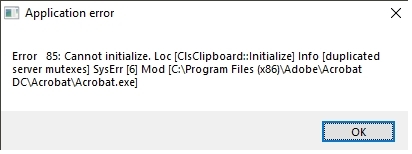
The exact error message is the following:


Error 85: Cannot initialize. Loc

[ClsClipboard::Initialize] Info [duplicated server

mutexes] syserr [6] Mod [C:UsersmyusernameDownloadsExplorer++Explorer++.exe]


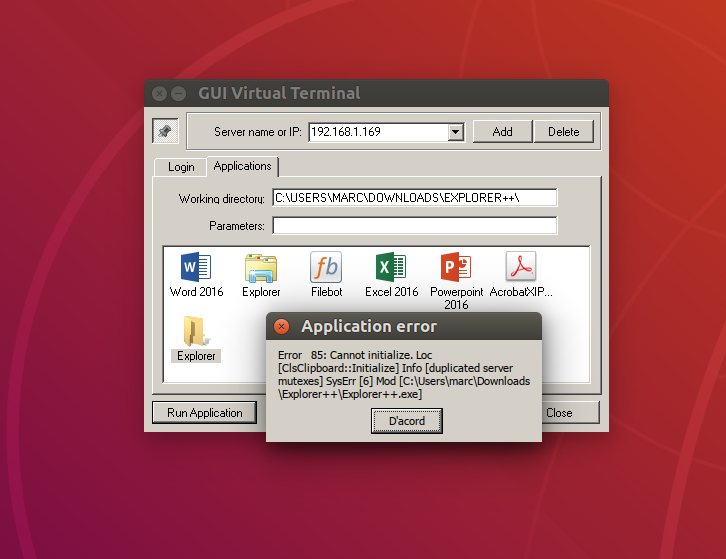
(I have attached a screen capture)


In this case, it's Explorer++, but other times it's Word 2016, or Adobe Reader. It seems to be quite random.


I hope you can help me find a solution.

Thanks in advance.
Autor: Mark
Data: 2020-08-06 17:21:53

Was there a solution to this issue?

We are using Winflector Server v3.9.8.0 on MS Windows 10 Enterprise 64-bit 1909 Build 18363.959

It appears that presence of -consoleoff (turning off console mirroring) in guiapp.cfg causes this issue to appear. Remove this additional parameter and the issue disappear.

It might be worth nothing that we have been using this additional parameter without any issue for a while, and only started facing this error message across ALL winflector shared applications recently.

Is it possibly caused due to a recent windows system update?


Autor: Calculus
Data: 2021-03-17 18:04:33

I have the same issue. can you tell me where the guiapp.cfg file is located


Autor: Rafal (staff)
Data: 2021-03-18 13:32:19

The guiapp.cfg file is located at:

c:\Winflector\server\

But it is optionall file.If you have problem with "duplicated server mutexes" please try to restart server machine. It should helps you,

1


Zaloguj się aby móc pisać na forum.